DRONE FOOTAGE → GAUSSIAN SPLATS
Drone video to Gaussian Splat.
Convert drone footage into interactive 3D Gaussian Splats.
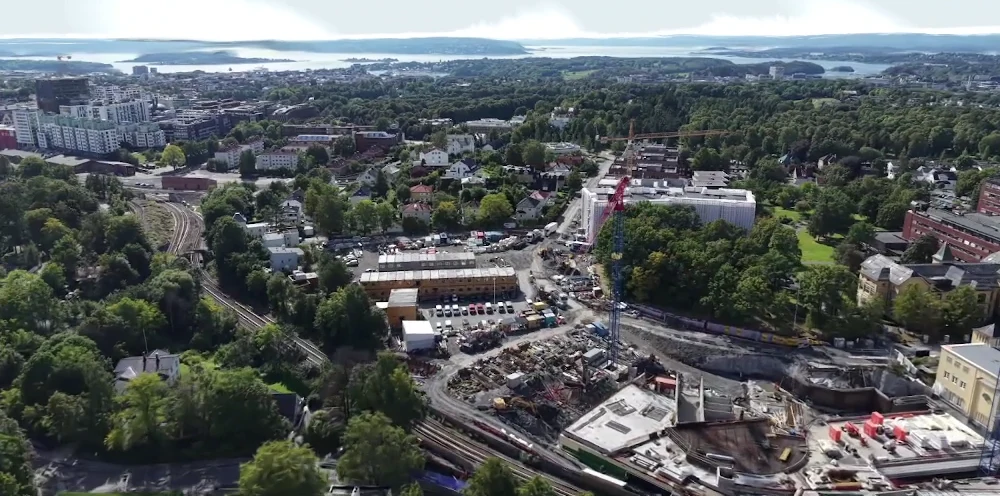
A scene you can move through
A video shows one camera path. A Gaussian Splat reconstructs the appearance of the scene in 3D so you can inspect it from other viewpoints. DroneSplatter turns overlapping drone recordings into a model you can view online and download.
Use it to bring existing buildings, vegetation and surrounding terrain into an architectural visualization. It complements a designed building model; it does not replace a measured survey or an editable CAD model.
From video frames to cloud reconstruction
Choose how often to extract a frame from each video. The pipeline estimates camera positions and trains a Gaussian Splat from the selected images. Higher quality presets allocate more detail and training time. Clear, overlapping source images remain essential at every quality level.
Drone Gaussian Splatting for architectural visualization
DroneSplatter is for architects, archviz teams, 3D artists and drone operators who need a visual representation of an existing site. Bring surrounding buildings, vegetation and landscape into the context of a proposed design. Explore the scene in a browser, then align it to a reference for export.
Gaussian Splatting vs photogrammetry
These workflows share some foundations: overlapping images and estimated camera positions. The main distinction here is the representation you work with. A mesh-based photogrammetry workflow produces surfaces and textures; Gaussian Splatting uses oriented 3D Gaussians to reproduce the scene’s appearance from different viewpoints.
A splat is useful when you want to explore and present how a place looks. An editable mesh serves a different purpose when you need surface geometry for modeling, collision or a mesh-based measurement workflow. DroneSplatter produces Gaussian Splat PLY files, not textured meshes, CAD or survey deliverables.
For the underlying technique, see the original 3D Gaussian Splatting research.
Fit the result to your reference
Align the reconstructed scene with a map or your own FBX using corresponding points. Adjust scale, rotation and position, then download the transformed PLY for software that supports Gaussian Splats.
Start with footage you already have
Create a Free account and try five generations at Preview quality. Inspect the reconstruction before deciding whether a higher quality plan fits your work.